
Introducing the CSC Connect App and Matchmaking Hub!
The CSC Connect App and Matchmaking Hub is:
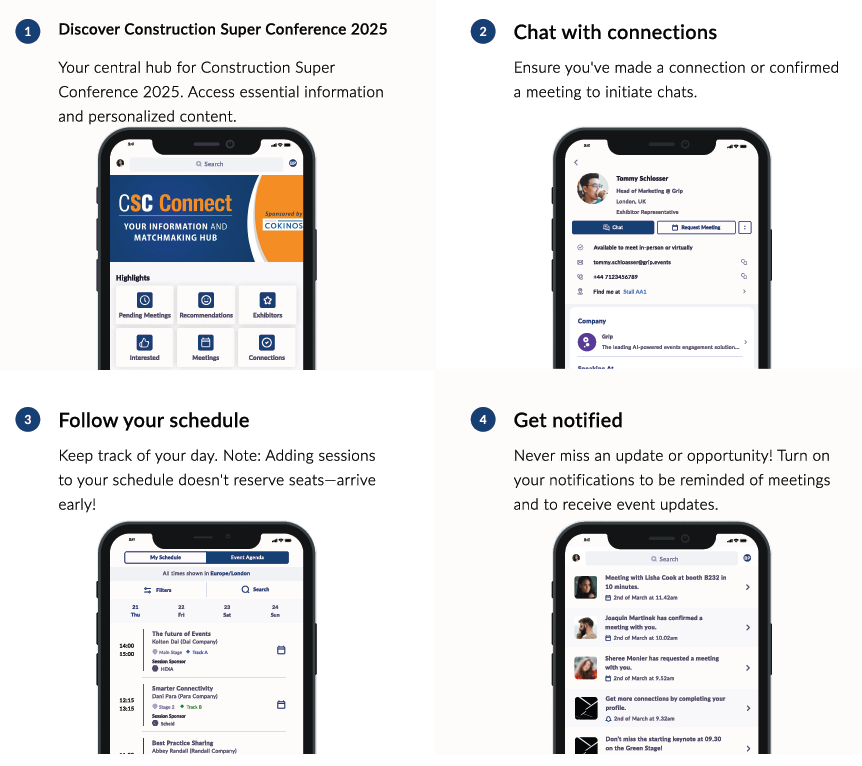
1) Your digital event guide with access to the entire event schedule where you can add sessions and events of interest to your calendar. You will also be able to access session presentation materials/handouts directly through the app!
2) Your smart networking connector to other attendees and sponsors. It acts as your personal assistant to help you find and meet relevant connections.
This is your one-stop hub for everything CSC—before and during the event. We recommend logging in early to get familiar with the app. Use the tips and resources below to set up your profile in advance so you can make the most of your time networking and learning onsite.
App Sponsored by:

Let’s Get Started by activating your account!
You can login to the app using the email you registered for the event with and your registration ID, which can be found in your CSC Registration Confirmation Email. Once you’ve created a password, you can set up your profile, view the schedule, check out the list of other attendees and start creating meetings!
You can access the app from your computer, or download it from either the Apple App Store or GooglePlay. The button below will recognize the type of device you are logging-in from and direct you to the proper platform.
IMPORTANT: You will see a set of onboarding questions the first time you log-in, please make sure to answer the questions as completely as possible to let other attendees know who you are. You can also add a professional photo and short bio to your profile to make networking even easier.
If you have any issues logging in or any questions in general regarding the app, please email [email protected]
(please allow around 30 minutes for a reply)
Additional App Resources and Tools:
Watch the App tutorial to get yourself up to speed with all things related to the app and matchmaking!
Click anywhere on the image below to download the CSC Connect Quick Start Attendee Guide!